 Contact
 Subscribe
 oct. 14, 2026

Looking for a convenient way to access Spin Panda Casino on an Android phone? An APK may seem like a straightforward option, but downloading casino software requires a little care. Availability, supported devices, and payment options can change, so check the current information on the casino’s official website before installing anything. This guide explains how to approach the process, what to check first, and how to use the casino responsibly if it is available to you in the United Kingdom.
What is the Spin Panda Casino APK?
An APK is an Android application package: a file used to install an app outside the Google Play Store. Some online casinos offer an APK directly through their own website, while others provide a mobile-friendly browser site instead. Do not assume that a downloadable file is official just because its name or logo resembles the casino’s branding.
Spin Panda’s mobile options may vary by location and over time. Start by visiting the casino’s official website through a secure browser and looking for its mobile or app section. If there is no clearly signposted APK download, use the browser version or contact support to ask whether an Android app is currently offered to UK players. Avoid third-party download pages, file-sharing links, and messages promising a special version.
Before you download: UK availability and safety
Online gambling rules depend on where you live and which operator serves your location. UK players should check that the casino is legally permitted to offer gambling to them and that its terms explicitly cover UK customers. The UK Gambling Commission’s public register is a useful place to verify the status of an operator or licence holder. If you cannot confirm that the service is authorised for your location, do not deposit or create an account.
Also review the casino’s terms, privacy policy, withdrawal rules, and responsible-gambling tools. Confirm the legal operator’s name, the minimum age requirement, identity-verification requirements, and how complaints are handled. A trustworthy download should come from a source linked by the operator itself, and the website should use a secure connection. Never provide banking details or identity documents to a page reached through an unsolicited link.
How to download and install the APK
Only follow these steps if Spin Panda’s official website currently provides an APK for your device and the service is available to you. Android menus differ between manufacturers and software versions, so the wording may not match your phone exactly.
- Open the official site. Type its address yourself or use a saved, verified bookmark. Check the web address carefully for misspellings or unfamiliar extensions.
- Find the mobile download information. Look for an Android app or APK section. If the site only describes mobile browser access, use that rather than searching the web for an installer.
- Read the instructions and terms. Confirm that the app is intended for your country and Android version. Check any stated file details and support contact information.
- Download the file. Use the link provided on the official site. Do not install a modified package or one supplied through a social-media message, advert, or unofficial app catalogue.
- Allow installation only if needed. Android may ask you to permit installation from that specific browser or file manager. Grant this permission only when you have verified the source. You can revoke it after installation in your device’s security settings.
- Install and inspect the app. Review the permissions requested. Be cautious if a casino app asks for access unrelated to its operation, such as contacts or text messages. Cancel if anything seems unexpected.
- Sign in securely. Use your own account and a unique password. Complete any identity and age checks required by the operator, and enable device security such as a screen lock.
If Android warns that the file may be harmful, do not dismiss the warning automatically. Stop and verify the download with the casino’s support team using contact details found on its official website. A warning is a reason to check, not an obstacle to bypass.
Using the mobile casino responsibly
Once installed, the app may provide account access, games, cashier functions, and support, though features can differ from the desktop site. Before depositing, check the available payment methods, processing times, fees, and withdrawal conditions. Make sure the payment method is in your name and that you understand any verification requirements.
Set a budget before playing and treat gambling as paid entertainment, not as a way to earn income or recover losses. Use deposit, loss, or session limits if available, and take breaks. If gambling is affecting your finances, mood, relationships, or daily responsibilities, stop and seek help. In the UK, you can find confidential support through organisations such as GamCare and the National Gambling Helpline. You can also explore self-exclusion options where applicable.
Browser access as an alternative
If there is no official APK, the mobile website may offer a simpler and safer route. Open the verified casino site in your browser, sign in only if the operator is legitimate and available to you, and consider adding the page to your home screen. A browser shortcut is not the same as an installed app, but it can provide convenient access without installing a separate package.
Keep your browser and Android operating system updated. Avoid saving payment-card details on a shared device, sign out when finished, and do not play over public Wi-Fi if you can avoid it. These general steps help protect your account regardless of whether you use an app or a browser.
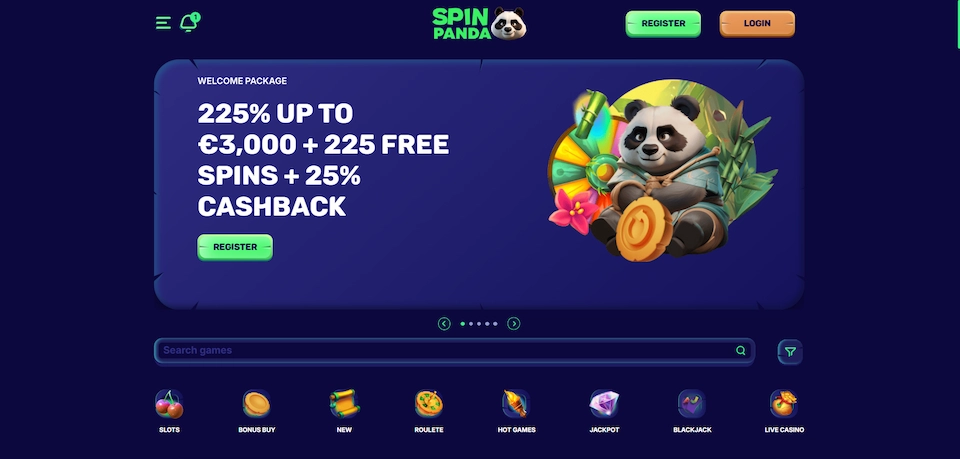
Spin Panda3 Promotion
Promotional offers can be attractive, but their value depends on the full terms rather than the headline amount. Before accepting a promotion, check eligibility, minimum deposits, wagering requirements, game contributions, expiry dates, withdrawal limits, and any restrictions on betting sizes. Some offers may not be available in every country, and bonus funds are not the same as withdrawable cash.
Do not install an APK or make a deposit solely to claim a promotion. Confirm that the offer appears in the casino’s official terms and is available to your account. If the conditions are unclear, ask support for an explanation before opting in. You can also decline promotional messages or bonuses if they do not suit your budget or playing preferences.
Common questions
Is it safe to download the Spin Panda APK?
It is safer only when the file is supplied through the casino’s verified official website and the operator is authorised to serve your location. No download is risk-free. Avoid third-party APK sites, check requested permissions, and stop if your device or browser raises a warning you cannot verify.
Can I get the APK from Google Play?
Casino apps are not always distributed through Google Play. Availability depends on the operator, jurisdiction, and store policies. If the app is not listed there, do not assume that an unofficial copy is equivalent. Check the casino’s own mobile information or use its browser site.
What should I do if the installation fails?
Check whether your Android version and available storage meet the official requirements. Make sure the file completed downloading, then restart the device and try again only if the source is verified. If the problem continues, contact official support. Do not download a different file from an unknown site as a workaround.
Can I play without installing an app?
Possibly. If Spin Panda’s website supports mobile browsers in your location, you may be able to access it directly without an APK. Confirm the site’s availability and terms first, and use only the verified address.
Final checklist
- Verify that the operator is permitted to serve UK players.
- Use only the download link provided by the official casino website.
- Review the app’s permissions and your Android security warnings.
- Read account, payment, bonus, and withdrawal terms before depositing.
- Set personal limits and use support or self-exclusion tools if needed.
Downloading a casino APK should never require guessing which file is genuine. Confirm availability directly with the operator, choose a browser alternative if no official app is offered, and put security and responsible play ahead of convenience.
 Comentariile sunt închise pentru How to Download the Spin Panda Casino APK: A UK Player’s Guide
